
Framory.ai
· Framory
How to Turn a Photo Into a Painting: A Complete Guide (Watercolor, Oil, Charcoal & More)
Want to turn a photo into a painting? Here's exactly how it works — the best styles, which photos to use, how long it takes, and how to get it framed and delivered to your door.
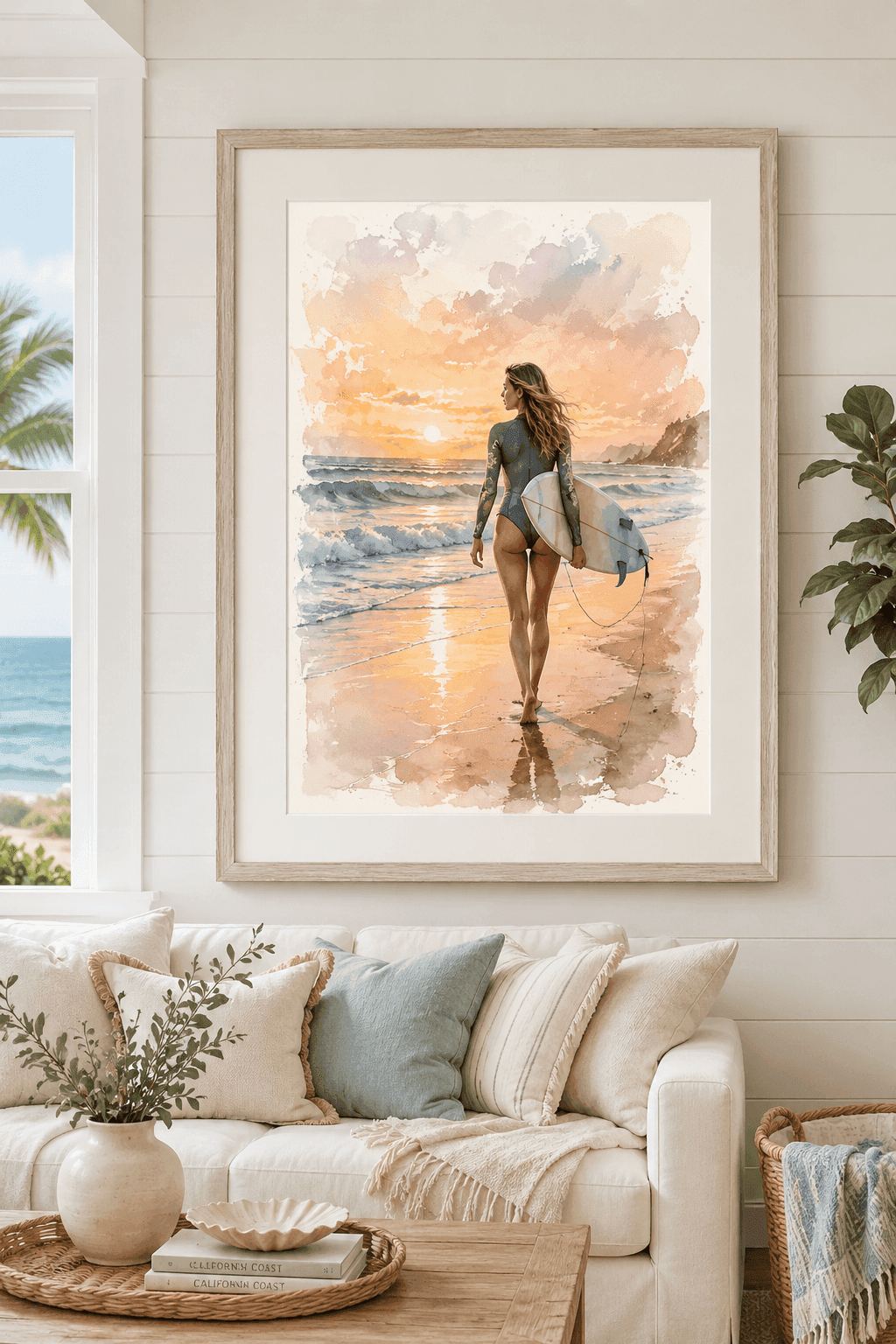
Turning a photo into a painting used to mean commissioning an artist, waiting weeks, and paying hundreds (or thousands) of dollars. Today you can do it from your phone in a couple of minutes — and end up with a framed piece on your wall that looks like genuine fine art.
This guide walks through exactly how it works: the styles to choose from, which photos give the best results, how long it takes, what it costs, and how to get the finished painting printed, framed, and delivered.
Quick answer: To turn a photo into a painting, upload a clear, well-lit photo, choose an art style (watercolor, oil, charcoal, impressionist, pop-art, or line-art), preview the result, refine it if needed, and order it as a framed print or canvas. The whole process takes about two minutes, and the painting itself is generated in seconds.
Can you turn a photo into a painting?
Yes. Any clear photo can be transformed into a painting — and you no longer need an artist to do it. Modern photo-to-art tools analyze your image and recreate it in a chosen painting style, preserving the people, pets, pose, and composition while adding real painterly texture and brushwork.
The result isn't a one-click "filter." Done well, it reads as an original painting: visible brush strokes, layered color, and the kind of selective detail a human artist would bring to a portrait.
How to turn a photo into a painting in 4 steps
Here's the full process, start to finish:
- Choose your art style. Pick the medium you want — watercolor, oil, charcoal, impressionist, pop-art, or line-art. (More on choosing below.)
- Upload your photo. Use a clear, well-lit image. You can use a single photo or combine subjects from more than one.
- Preview and refine. You'll see your painting almost instantly. Don't love something? Adjust it with simple text prompts — you can refine the result multiple times until it's exactly right, before you pay anything.
- Pick a size and frame, then order. Choose your size and frame style, and the finished piece is printed on gallery-grade material and shipped to your door ready to hang.
You can start creating your painting here and see a free preview before deciding.
Which painting style should you choose?
The "best" style depends on the photo and the mood you want. Here's how Framory's six styles break down:
- Watercolor — soft, luminous, and light. The most universally flattering option for portraits, families, and weddings. Preserves natural color with an airy, hand-painted feel.
- Oil — rich, textured, and timeless. Dramatic light and depth make it ideal for formal portraits and statement pieces.
- Charcoal — moody monochrome with strong contrast. Perfect for striking black-and-white portraits and fine-art drama.
- Impressionist — broken color and visible brushwork in the spirit of Monet and Renoir. Beautiful for candid moments, landscapes, and travel photos.
- Pop-art — bold, flat color and graphic energy. A fun, modern choice for personality-forward pieces and gifts.
- Line-art — clean, minimal contour lines on white. Elegant and contemporary, great for modern interiors.
If you're unsure, watercolor and oil are the safest bets for people and pets. You can preview your photo in any style for free before committing.
What photos work best?
The quality of the painting depends heavily on the quality of the source photo. For the best results:
- Use a sharp, in-focus image. Blurry photos produce blurry paintings.
- Favor good, even lighting. Natural daylight beats harsh flash or deep shadow.
- Get close enough to see faces clearly. Tight, well-lit faces render with the most detail and the strongest likeness.
- Avoid heavy filters. Start from the most natural version of the photo you have.
Group shots, pets, couples, and single portraits all work well. If you want to combine subjects — say, a pet into a different scene, or two people from separate photos — that's possible too.
How long does it take, and how much does it cost?
Time: The painting is generated in seconds. You'll preview it almost immediately and can refine it on the spot. Printed and framed pieces typically ship within a few business days.
Cost: Pricing depends on the size and frame. As a reference point, an 18×24″ framed print is $149 and an 18×24″ framed canvas is $219, with smaller sizes costing less. Browse all sizes and current pricing here.
That's a fraction of a traditional commissioned painting — with no weeks-long wait.
Can you refine the result?
Yes. One of the biggest advantages of doing this digitally is that you're not stuck with the first attempt. If you want warmer tones, a tighter crop, a different background, or more brushwork, you can adjust the painting with plain-language prompts and re-preview — repeatedly — until it's right. You only pay once you're happy with it.
Will it look like a real painting on the wall?
This is the part people worry about, and it's the part that matters most. A good photo-to-painting isn't a screen effect — it's printed. Framory uses high-resolution giclée printing on gallery-grade paper and canvas, so the finished piece has the texture, depth, and presence of real fine art when it's hanging in your home. It arrives framed and ready to hang.
Turning a photo into a painting makes a remarkable gift
Because it's personal and looks like genuine art, a photo-turned-painting is one of the most thoughtful gifts you can give — for anniversaries, weddings, new homes, and especially as a custom pet portrait. It treats a memory with the seriousness it deserves.
If you want to see your own photo as a painting, you can upload it and preview it free — choose a style, watch it transform, and only order if you love it.
Frequently asked questions
Can you turn any photo into a painting?
Yes. Almost any clear, well-lit photo can be turned into a painting — portraits, pets, couples, families, weddings, travel shots, and landscapes all work. The sharper and better-lit the original photo, the more detailed and lifelike the finished painting will be.
How long does it take to turn a photo into a painting?
The artwork itself is generated in seconds. With Framory you upload a photo, pick a style, and see a preview almost instantly — then you can refine it as many times as you like before ordering. Printed and framed pieces typically ship within a few business days.
How much does it cost to turn a photo into a painting?
Pricing depends on the size and frame you choose. As an example, an 18×24″ framed print is $149 and an 18×24″ framed canvas is $219, with smaller sizes costing less. See the products page for current pricing across all sizes and frames.
What's the best style to turn a photo into a painting?
Watercolor and oil are the most popular and most forgiving styles for portraits and family photos. Charcoal suits dramatic black-and-white portraits, impressionist works beautifully for landscapes and candid moments, and pop-art or line-art are great for bold, modern pieces.
Will it actually look like a real painting?
Yes — the goal is a piece that reads as genuine fine art, not a filter. Framory preserves the likeness, pose, and composition of your photo while applying real painterly texture, brushwork, and color, then prints it on gallery-grade material so it looks hand-finished on the wall.
Do I need any art or design skills?
None. You upload the photo, choose a style, and the painting is created for you. You can refine the result with simple text prompts if you want to adjust it, but no editing software or artistic skill is required.


